
Welcome to the Reality of Modern Job Applications
You’ve spent hours crafting what you believe is a perfect resume, meticulously detailing your experience, skills, and achievements. You hit “apply” with a hopeful heart, only to be met with… silence. No calls, no emails, just the digital equivalent of a black hole. If this sounds familiar, you’re not alone.
In today’s competitive job market, your resume isn’t usually seen by human eyes first. Instead, it’s first scanned, parsed, and judged by an Applicant Tracking System (ATS). These sophisticated software programs are designed to filter through hundreds, sometimes thousands, of applications for a single role. If your resume isn’t optimized for these digital gatekeepers, it could be rejected before a human recruiter ever gets a chance to see your potential.
At Infalex, we understand the frustration of this process. This comprehensive guide will demystify the ATS, uncover the common reasons your resume might be getting rejected, and provide you with actionable strategies to fix those issues, ensuring your resume not only passes the ATS but shines in front of human recruiters.
What Exactly is an ATS and Why Does It Matter?
Think of an ATS as a digital recruiter. Its primary job is to streamline the hiring process for companies by automating the initial screening of resumes. When you submit your application online, the ATS scans your document for specific keywords, phrases, and formatting cues. It then assigns your resume a relevance score based on how well it matches the job description.
Here’s how it typically works:
-
Parsing: The ATS extracts text from your resume, attempting to understand your experience, education, and skills.
-
Indexing: It then categorizes this information into specific fields (e.g., “Experience,” “Education,” “Skills”).
-
Matching: The system compares your resume’s content against the keywords and criteria defined in the job description.
-
Ranking: Finally, it ranks candidates based on their match score, presenting the most relevant resumes to human recruiters for review.
If your resume isn’t properly formatted or lacks the necessary keywords, the ATS might either fail to parse it correctly (making it unreadable) or give it a low score, leading to immediate rejection.
Why does it matter? Because up to 75% of job applications are filtered out by ATS before reaching a human recruiter. For larger companies, this number can be even higher. Without an ATS-friendly resume, you’re significantly reducing your chances of landing an interview.
Common Reasons Your Resume Gets Rejected by ATS
Understanding the “why” behind ATS rejections is the first step to fixing the problem. Here are the most common pitfalls:
-
Incorrect File Format:-
This is a fundamental mistake that’s surprisingly common. While most modern ATS can handle various file types, sticking to the safest options is crucial.- The Problem: Using obscure file types, or even sometimes .docx when a company specifically asks for .pdf, can lead to parsing errors. Older ATS versions sometimes struggle with .pdf, while newer ones prefer it for maintaining formatting.
- The Fix: Always check the job posting for preferred file formats. If none is specified, PDF is generally the safest bet as it preserves your formatting across different systems. However, some very old systems still prefer .docx. If you’re unsure, have two versions ready or lean towards PDF for newer systems.
-
Lack of Relevant Keywords:-
Keywords are the lifeblood of an ATS. These are the specific terms, phrases, and skills that the ATS is programmed to look for based on the job description.- The Problem: Your resume might be well-written, but if it doesn’t contain the exact keywords from the job description, the ATS won’t flag it as relevant. Using synonyms instead of exact terms (e.g., “team lead” instead of “project manager” if the job asks for the latter) can be detrimental.
- The Fix: Tailor your resume for EACH job application.
- Analyze the Job Description: Read it carefully, highlighting all the keywords related to skills, responsibilities, tools, and qualifications.
- Integrate Naturally: Weave these keywords into your professional summary, experience bullet points, and skills section. Don’t just list them; show how you’ve applied them.
- Use Exact Phrases: If the job asks for “customer relationship management,” don’t just say “customer relations.” Use the full phrase.
-
Complex Formatting and Design Elements:-
Many job seekers attempt to make their resumes stand out visually with unique designs, graphics, and multi-column layouts. While these might appeal to the human eye, they often confuse an ATS.-
The Problem:
- Graphics & Icons: Logos, images, charts, and progress bars for skills are unreadable to an ATS.
- Text Boxes & Tables: Information placed within text boxes or tables often gets scrambled or completely ignored.
- Fancy Fonts & Colors: Non-standard fonts can appear as gibberish, and excessive colors can complicate parsing.
- Headers & Footers: Content in these sections can sometimes be overlooked by the ATS.
- Multi-Column Layouts: These can cause the ATS to read across columns incorrectly, jumbling sentences and information.
-
The Fix: Embrace simplicity.
- Stick to Standard Layouts: Use a single-column, chronological format.
- Standard Fonts: Opt for professional, widely recognized fonts like Arial, Calibri, Times New Roman, or Georgia.
- No Graphics: Remove all images, icons, charts, and elaborate design elements.
- Use Plain Text: Ensure all your critical information is in the main body of the document, not in headers, footers, or text boxes.
- Bullet Points: Use clear, concise bullet points for experience and achievements.
-
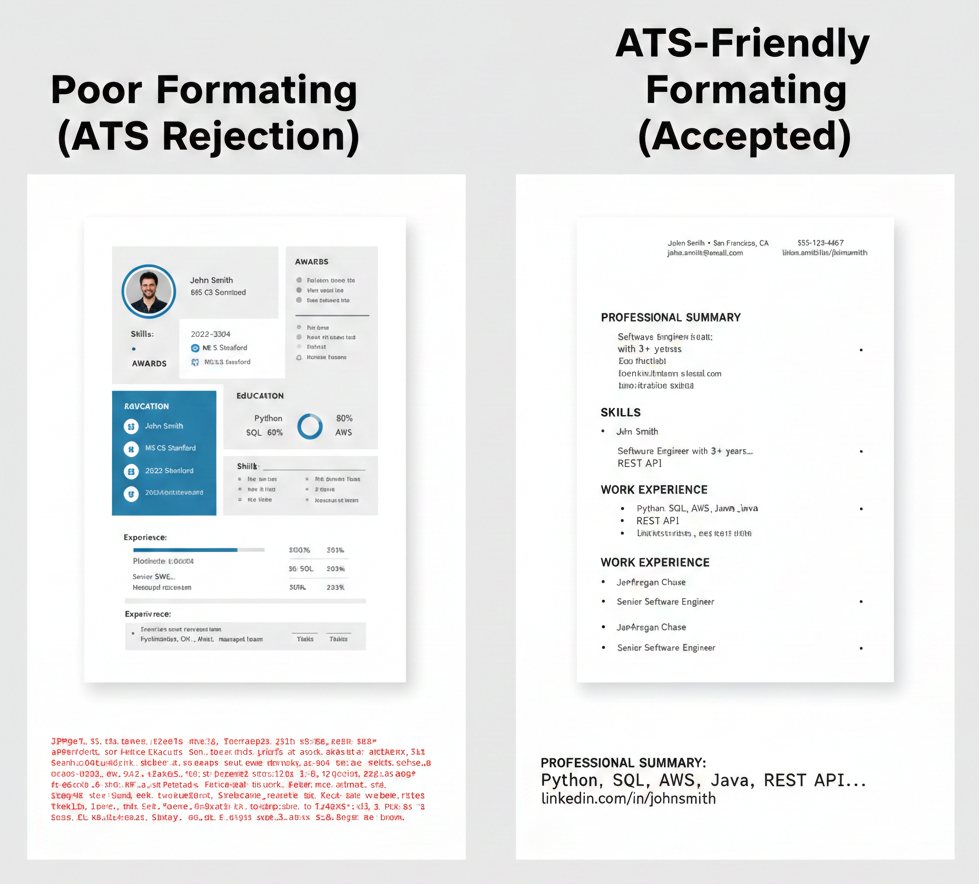
Here’s an example of what an ATS sees when your resume is poorly formatted versus well-formatted:
-
Keyword Stuffing:-
While keywords are important, quantity does not equal quality. Trying to game the system by stuffing your resume with an excessive number of keywords can backfire.- The Problem: Overloading your resume with keywords, especially by hiding them in white text or repeating them unnaturally, is easily detected by modern ATS. This practice makes your resume look spammy and unprofessional, often leading to it being flagged and rejected.
- The Fix: Integrate keywords naturally and contextually. Focus on quality over quantity. If you genuinely possess the skill or experience, describe it using the keywords. Avoid simply listing keywords out of context. An authentic, well-written resume that naturally incorporates relevant terms will always outperform a keyword-stuffed one.
-
Lack of Quantification and Action Verbs:-
Even if the ATS parses your resume correctly, a lack of strong, quantifiable achievements can result in a low relevance score.- The Problem: Resumes that merely list responsibilities or generic duties without demonstrating impact fail to impress both ATS and human recruiters. Vague statements like “Responsible for managing projects” don’t convey value.
- The Fix: Quantify everything and use powerful action verbs.
- Numbers Speak Louder: Instead of “Managed social media,” try “Managed social media campaigns that increased engagement by 30% and grew followers by 15% in 6 months.”
- Action Verbs: Start your bullet points with strong action verbs like “Developed,” “Implemented,” “Analyzed,” “Led,” “Achieved,” “Optimized,” etc.
- STAR Method: Consider using the STAR (Situation, Task, Action, Result) method to structure your achievements, even in condensed bullet points.
-
Ignoring the Job Description’s Specifics:-
Many job seekers make the mistake of using a generic “one-size-fits-all” resume for every application.- The Problem: A generic resume rarely aligns perfectly with the specific requirements and language of a particular job description. If the job asks for a “JavaScript Developer” with “React.js” and “Node.js” experience, and your resume broadly states “Web Developer” with “frontend skills,” the ATS will likely overlook it.
- The Fix: Customize, customize, customize.
- Read Carefully: Go through the job description and identify the core requirements, preferred qualifications, and key responsibilities.
- Match Your Experience: Tweak your summary, skills section, and experience bullet points to directly reflect the language used in the job description.
- Prioritize Relevant Experience: Reorder your bullet points or even entire sections to highlight the experience most pertinent to the role.
-
Missing Key Sections or Information:-
An ATS is designed to extract specific data points. If these are missing or difficult to find, your resume might be deemed incomplete.- The Problem: Omitting crucial contact information, dates of employment/education, or a dedicated skills section can hinder parsing and lead to a lower match score. Sometimes, unconventional section titles also cause issues.
- The Fix: Include all essential sections with clear, standard headings.
- Standard Headings: Use conventional titles like “Contact Information,” “Professional Summary,” “Work Experience,” “Skills,” “Education,” and “Projects.”
- Complete Information: Ensure your contact details (phone, email, LinkedIn URL) are prominent. Include start and end dates for all experiences and education.
- Dedicated Skills Section: Have a clear, bulleted list of your technical and soft skills, making it easy for the ATS to identify them.
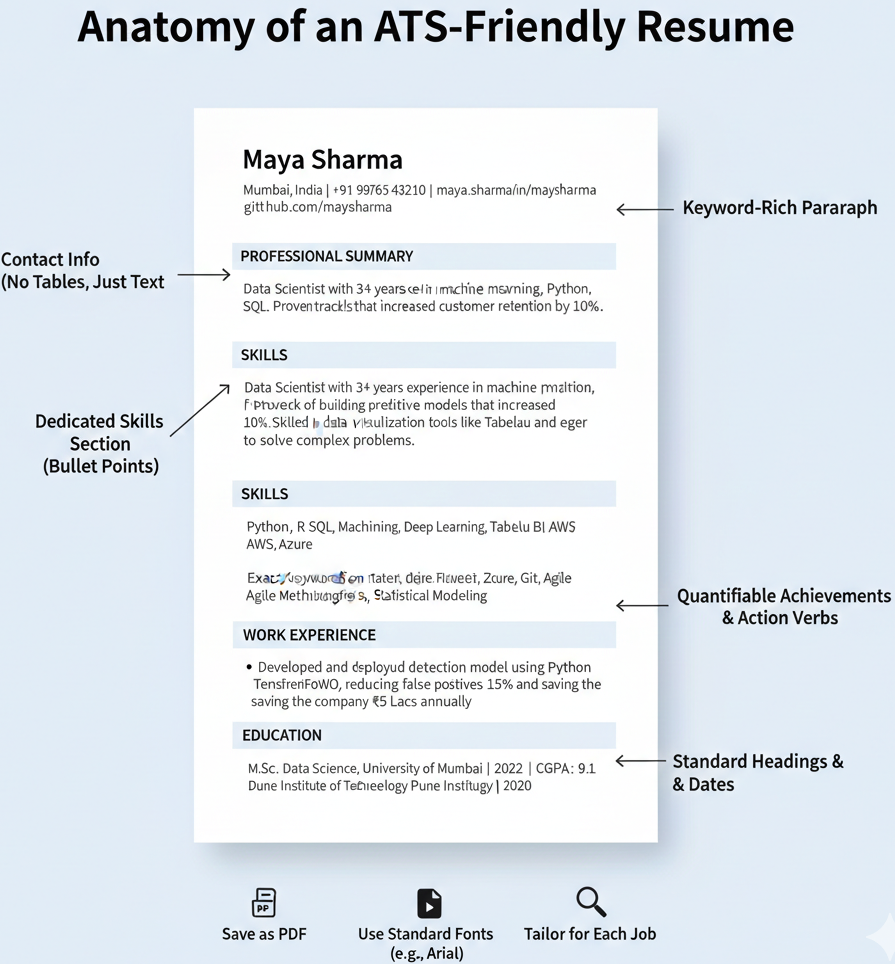
Here’s a visual representation of crucial elements for an ATS-friendly resume:
- Typos and Grammatical Errors:-
While an ATS won’t typically reject a resume solely for a typo, these errors can indicate a lack of attention to detail and professionalism, which can factor into its overall scoring or human review.- The Problem: Typos, grammatical mistakes, and inconsistent formatting can make your resume appear sloppy, reducing its credibility.
- The Fix: Proofread meticulously.
- Multiple Reads: Read your resume multiple times, both on screen and printed out.
- ** tools::** Use spell-checkers and grammar tools (like Grammarly) but don’t rely on them exclusively.
- Fresh Eyes: Ask a friend or mentor to review your resume for errors.
- Read Aloud: Reading your resume aloud can help you catch awkward phrasing and mistakes.
How to Fix Your Resume and Beat the ATS
Now that we’ve identified the common pitfalls, let’s dive into the solutions. Here’s a step-by-step guide to transforming your resume into an ATS magnet:
Step 1: Choose the Right Format and Layout
- Go Simple & Standard: Opt for a clean, single-column layout. Avoid fancy templates from graphic design sites.
- Use Standard Headings: Stick to universally recognized headings:
- Contact Information
- Professional Summary / Objective
- Skills
- Work Experience
- Education
- Projects (especially for freshers or career changers)
- Awards / Certifications (if applicable)
- Reverse-Chronological Order: Always list your most recent experience/education first within each section.
- Save as PDF (Mostly): As discussed, PDF is generally preferred for preserving formatting. If the job description specifically requests .docx, use that.
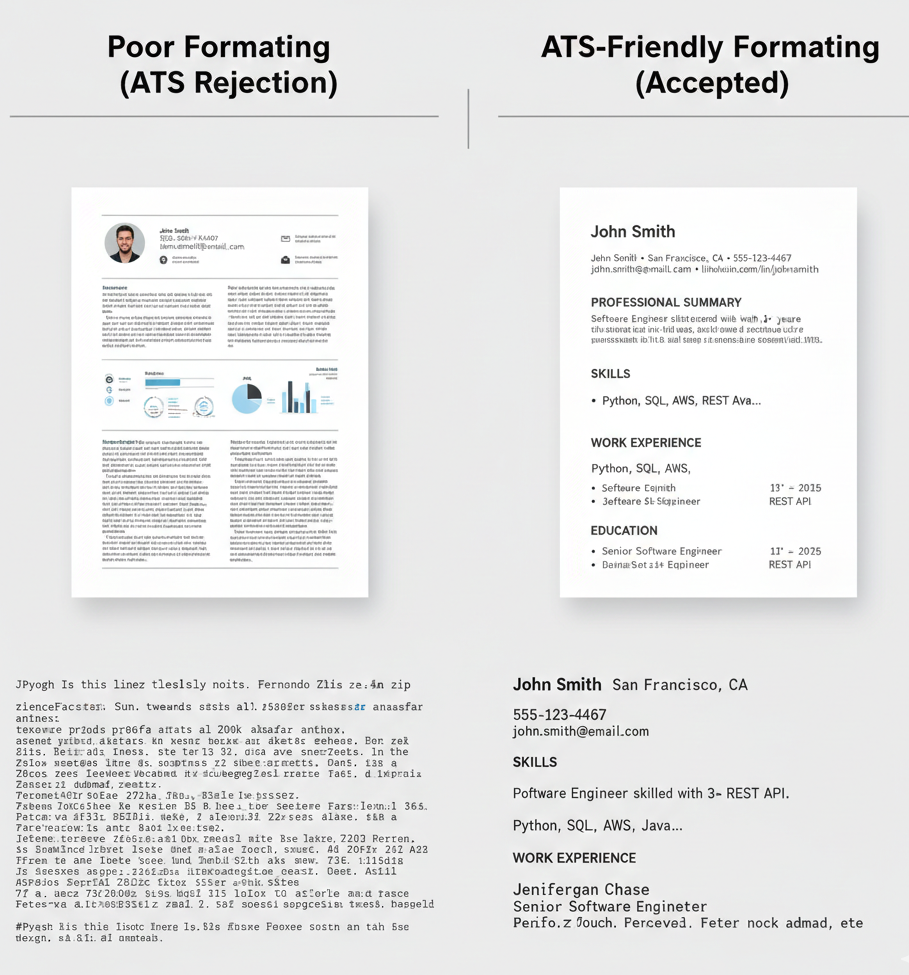
Here’s a comparison of an ATS-unfriendly vs. ATS-friendly format:
Step 2: Optimize for Keywords (The Smart Way) This is the most critical step.
- Job Description Dissection: Copy the job description into a word cloud generator (like WordArt.com or TagCrowd.com) or simply paste it into a text editor and manually identify recurring terms. These are your keywords. Pay attention to both hard skills (e.g., Python, AWS, Salesforce) and soft skills (e.g., communication, problem-solving, teamwork).
- Integrate Naturally: Weave these keywords into your resume:
- Professional Summary: Craft a 2-4 sentence summary that includes your top 3-5 most relevant skills/experiences using keywords.
- Skills Section: Create a dedicated, bulleted list of your technical, industry-specific, and relevant soft skills.
- Experience/Projects: Incorporate keywords into your bullet points, demonstrating how you used those skills to achieve results.
Step 3: Craft a Powerful Professional Summary (Not an Objective)
- Be Specific: Instead of a vague objective, write a concise summary highlighting your most relevant skills and achievements that align with the job description.
- Include Keywords: Naturally embed 3-5 key skills or experiences from the job description here.
- Quantify Early: If possible, include a quantifiable achievement.
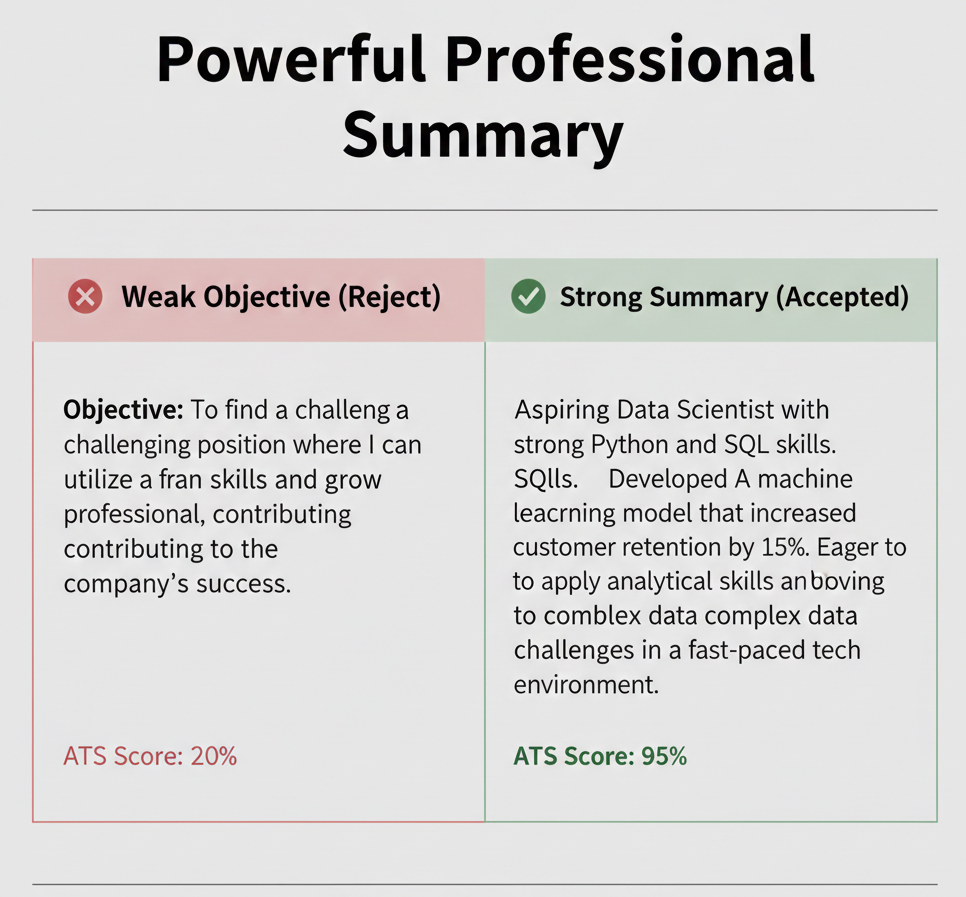
Here’s an example of a strong professional summary:
Step 4: Optimize Your Experience and Project Descriptions
- Action Verbs: Start each bullet point with a strong action verb (e.g., “Developed,” “Managed,” “Analyzed,” “Implemented”).
- Quantify Achievements: Whenever possible, use numbers, percentages, and metrics to demonstrate the impact of your work.
- Bad: “Managed social media accounts.”
- Good: “Managed social media strategy for 3 platforms, growing audience engagement by 25% and increasing lead generation by 10%.”
- Keyword Integration: Ensure your bullet points naturally include keywords from the job description.
Step 5: Build a Robust Skills Section
-
Categorize (Optional, but good): You can separate your skills into categories like “Programming Languages,” “Software & Tools,” “Frameworks,” and “Soft Skills.”
-
No Skill Bars/Levels: Just list the skill (e.g., Python, SQL, AWS, Figma). ATS doesn’t understand “intermediate” or “80% proficient.”
-
Match Job Description: Prioritize the skills listed in the job description.
Step 6: Test Your Resume’s ATS-Friendliness:
Before you apply, put your resume to the test!
-
Copy-Paste Test: Copy your entire resume and paste it into a plain text editor (like Notepad on Windows or TextEdit on Mac, or even a blank email). If it looks jumbled, unreadable, or loses critical information, the ATS will likely struggle with it. This is a critical self-check.
-
Online ATS Scanners: Use free online ATS resume scanners (e.g., Resumetra, Jobscan, Resume Worded) to get an immediate match score and identify missing keywords or formatting issues. These tools are excellent for fine-tuning.
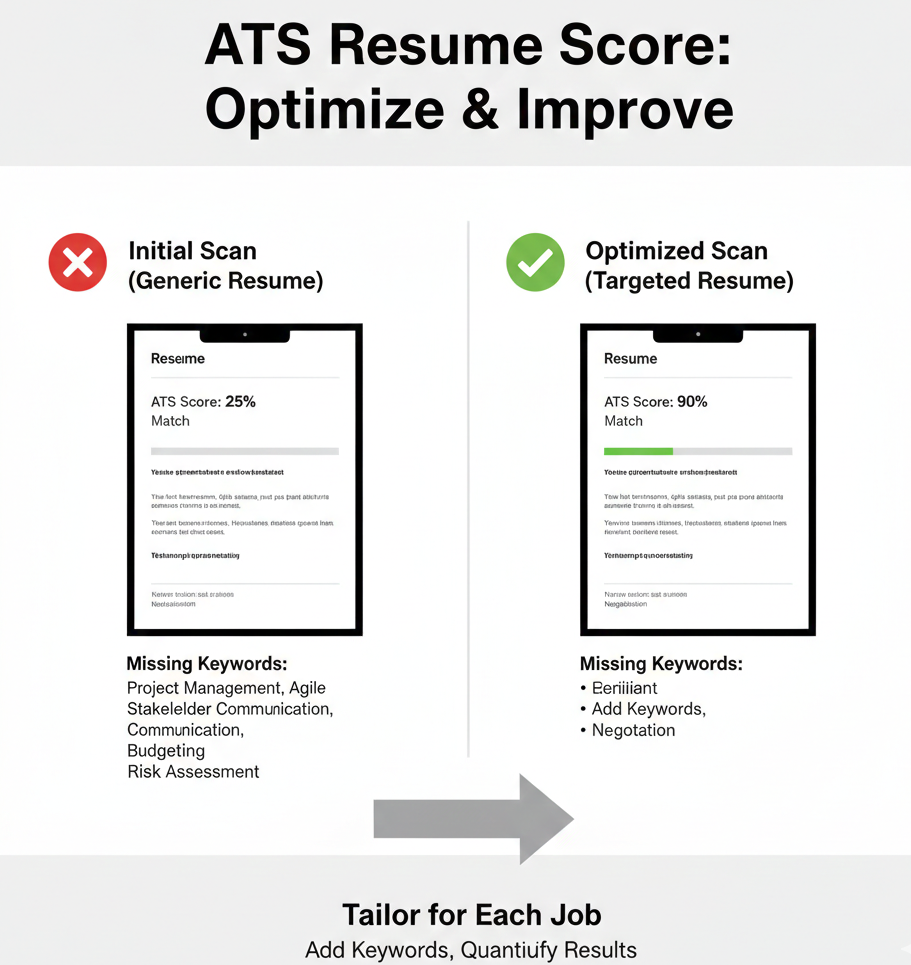
Here’s an illustration of how an ATS score changes with optimization:
Step 7: Proofread Relentlessly
-
Read Aloud: This helps catch awkward phrasing and errors your eyes might skip over.
-
Fresh Eyes: Have someone else proofread your resume.
-
Tools: Use grammar and spell-checking tools, but don’t rely solely on them.
What the ATS Sees vs. What a Human Sees
It’s crucial to understand that while you optimize for the ATS, your resume will eventually be read by a human.
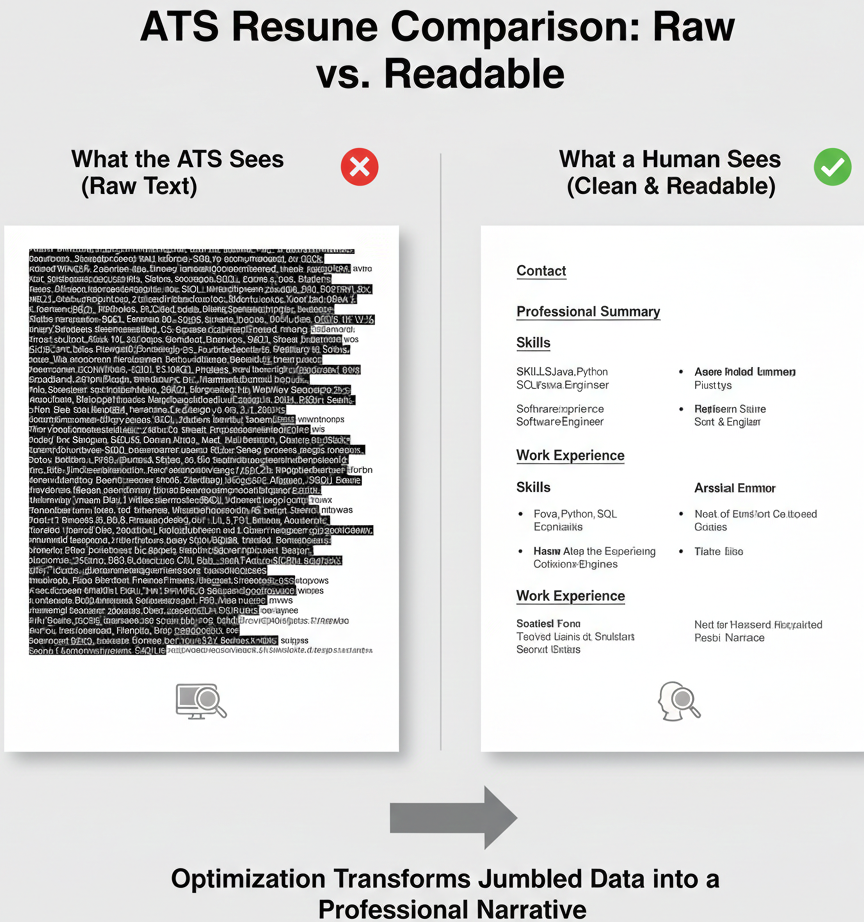
The ATS sees: Data points, keywords, and structured information. It’s looking for a match based on its programmed criteria.
A Human Recruiter sees: Your professional narrative, your achievements, your potential. They look for clarity, conciseness, and compelling evidence of your capabilities.
The goal of ATS optimization is to get past the machine without sacrificing readability and impact for the human. A well-optimized resume is clear, consistent, and logically structured, making it easy for both.
Frequently Asked Questions (FAQs)
Q: Can I use a resume builder template?
A: Many resume builders offer “ATS-friendly” templates. Use them with caution. While some are genuinely good, others might include hidden formatting that an ATS struggles with. Always test the output with a copy-paste into plain text.
Q: Should I include my photo on my resume?
A: Generally, no. In most Western countries (including the US, Canada, UK), photos are discouraged to prevent bias. In some regions (e.g., parts of Europe, Asia), it might be more common, but if applying internationally, it’s safer to omit.
Q: How long should my resume be?
A: For most professionals with under 10 years of experience, a one-page resume is ideal. If you have extensive experience (10+ years) or are in a very technical field with many projects/publications, two pages can be acceptable. However, conciseness is always appreciated.
Q: What about cover letters? Are they ATS-scanned too?
A: Yes, many ATS can also scan cover letters for keywords. Tailoring your cover letter to the job description, mirroring keywords, and explaining how your skills align with the role can increase your overall ATS score.
Q: Can AI (like ChatGPT) help me write an ATS-friendly resume?
A: AI tools can be incredibly helpful for drafting bullet points, suggesting keywords, and refining language. However, they should be used as an assistant, not a replacement. Always personalize the content, fact-check, and ensure it accurately reflects your experience and voice. AI-generated content can sometimes sound generic, so add your unique touch.
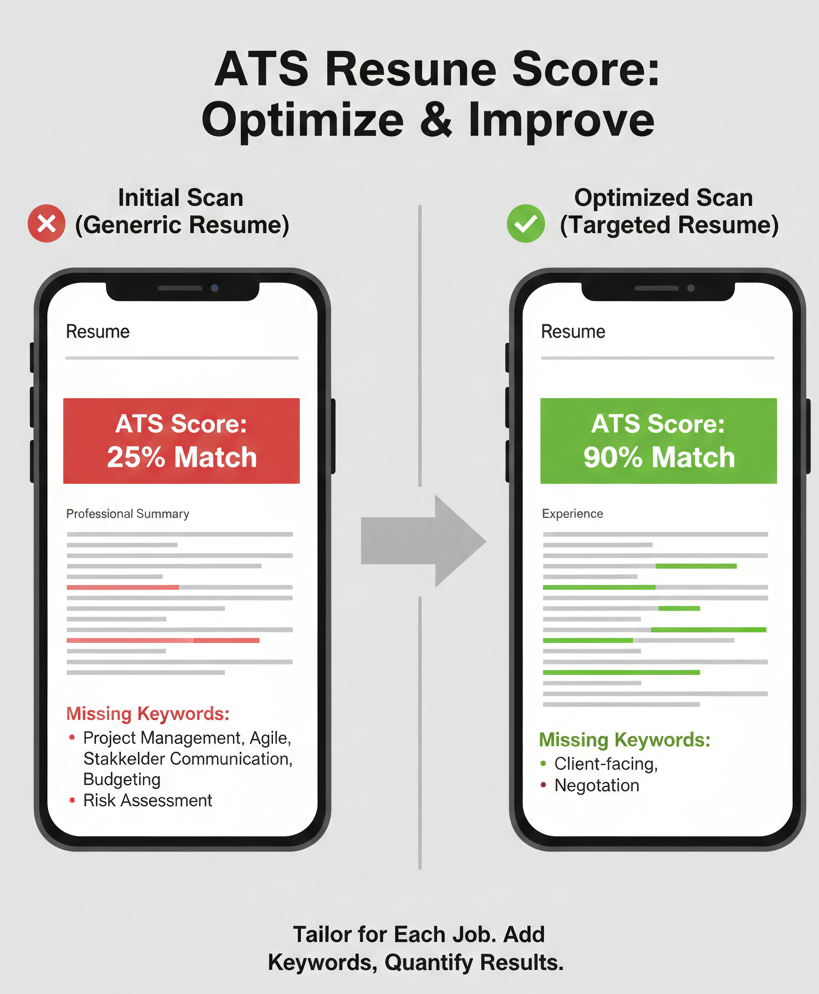
Here’s an example of how tailoring your resume can significantly improve your ATS score:
🚀 Explore More Career Insights
If you found this guide helpful, we have more resources designed to help you navigate the 2026 job market with confidence. Dive deeper into these related topics:
Best ATS Resume Format in 2026 – A detailed breakdown of the exact templates and layouts that are passing the bots right now.
Top Resume Keywords Recruiters Are Looking For in 2026 – Discover the power words that trigger the algorithm and catch a recruiter’s eye.
Want to browse our full library of tips and tutorials? Read our latest articles on the Blog.
Final Thoughts:
“At Infalex, we believe knowledge is only powerful when applied. We hope this guide gave you the clarity you need to take that next step. If you have questions or need further breakdown, reach out—we’re here to help you succeed. See you in the next one!”
Found this helpful? Share it.